
How Architects and Designers Are Using AI Rendering to Work Faster — and Show Clients More
By AirisJus · Published
Photorealistic rendering used to be a slow, end-of-project deliverable. Now designers screenshot their 3D viewport and get a client-ready render in seconds, geometry preserved and every detail editable. Here's how the workflow is shifting, and why it beats prompting a general AI.

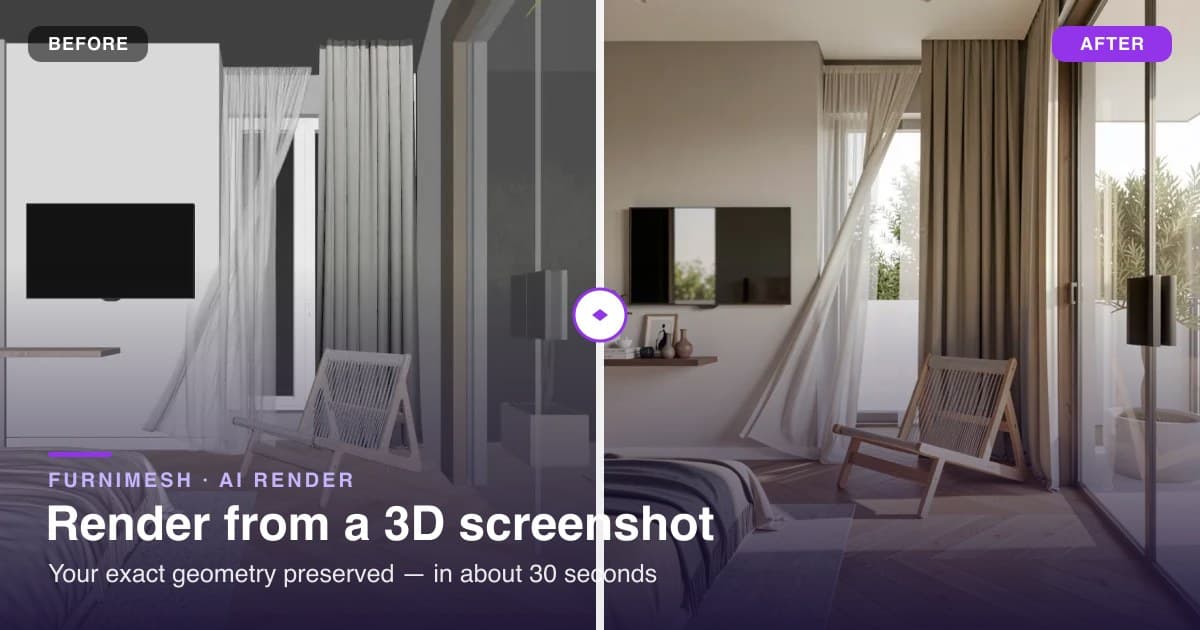
For most of the last decade, a photorealistic render meant the same ritual. Hours of setup, a GPU running hot, and one finished image you produced after the design was basically locked. Rendering sat at the end of the project, and because it was expensive, you rationed it.
That's changing fast. AI rendering has pulled photorealism to the front of the process: into the concept stage, the client call, the "what if it were walnut instead" moment. Designers aren't rendering less. They're rendering constantly, because it now costs seconds instead of an afternoon.
Here's the honest origin story. We kept watching designers paste their 3D viewports into ChatGPT, ask it to "make this realistic," and get back a room that wasn't theirs. So we built the thing that doesn't do that. Below is how the workflow is actually shifting, and the one move it makes that a general AI can't.
Rendering moved from the final deliverable to every conversation
The old loop was slow. You'd model the space, set up the render, wait, present it, hear that the client wants changes, then re-render and present again. Days per round. So the big decisions got made off grey clay models and a client's imagination.
The new loop is different. When a render takes half a minute, you show realistic options early and often, and you change them live while everyone is still in the room. Most teams that work this way run a hybrid: AI for the dozens of concept and option views, traditional rendering saved for the two or three hero shots that ship at the end.
The real win is client approval. You confirm the direction (layout, materials, mood) before anyone burns hours on a final image. More options shown, faster sign-off, far fewer expensive surprises late in the job.
Show clients a realistic version in the next 30 seconds
Drop in a screenshot of your 3D viewport and get a photorealistic render back. No GPU, no render queue, no credit card to start.
The catch with general AI: it redraws your building
The obvious shortcut is to drop a screenshot into ChatGPT, Midjourney, or a model like Nano Banana and ask for photorealism. For a loose mood board, that's fine.
It falls apart the moment accuracy matters. Those models build a brand-new image from scratch, so they hallucinate your design. They move walls. They change proportions. They add a window you never drew and swap your specified furniture for something generic. Ask for a five-storey façade and you might get seven. The tool has no idea it's looking at your building, so it improvises.
That is the whole problem with client work. A render of someone's actual space can't be the AI's guess at it. It has to be their design, lit and textured, with nothing moved.
FurniMesh works the other way around. It renders straight from your 3D model through a plain viewport screenshot, so the geometry you built stays put: walls, proportions, layout, the position of every piece. The AI only adds light, materials, and realism. It never touches the design.
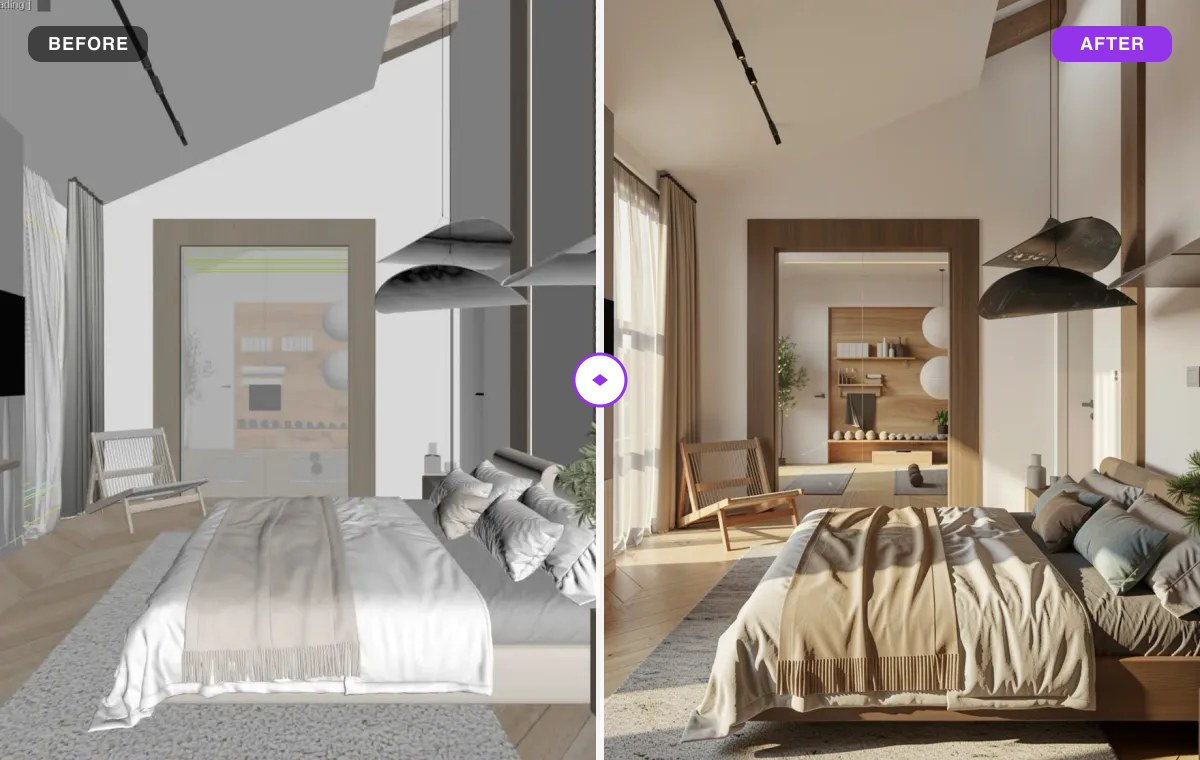
How it works: screenshot in, photoreal out
There's no plugin to install and no scene to set up. Three steps:
- Screenshot your viewport. SketchUp, Blender, 3ds Max, Revit, Rhino, whatever you model in. No export, no "save as 2D graphic."
- Upload it.
- Render. You get a photorealistic image back in about 30 seconds, in your browser, on any laptop. No GPU, no overnight queue.
For what it's worth, the four renders in this post each came back in 14 to 18 seconds. And because the input is just a screenshot, the tool doesn't care which software you use. If you can see your model on screen, you can render it.
Change one thing, not the whole scene
This is the part a general image model structurally can't do, and it's where the workflow earns its keep.
A client says: "Love it. Can the sofa be a different one? And lose the pendant." With a text-to-image tool you re-prompt and get back a different room. New proportions, new everything. Now you're negotiating with the AI instead of editing your design.
In FurniMesh you paint a mask over that one area, describe the change, and only that region re-renders. Everything else stays pixel-identical. Need a specific piece, a particular sofa or an exact light fixture? Drop a reference image next to the mask and the edit places that object into the scene.
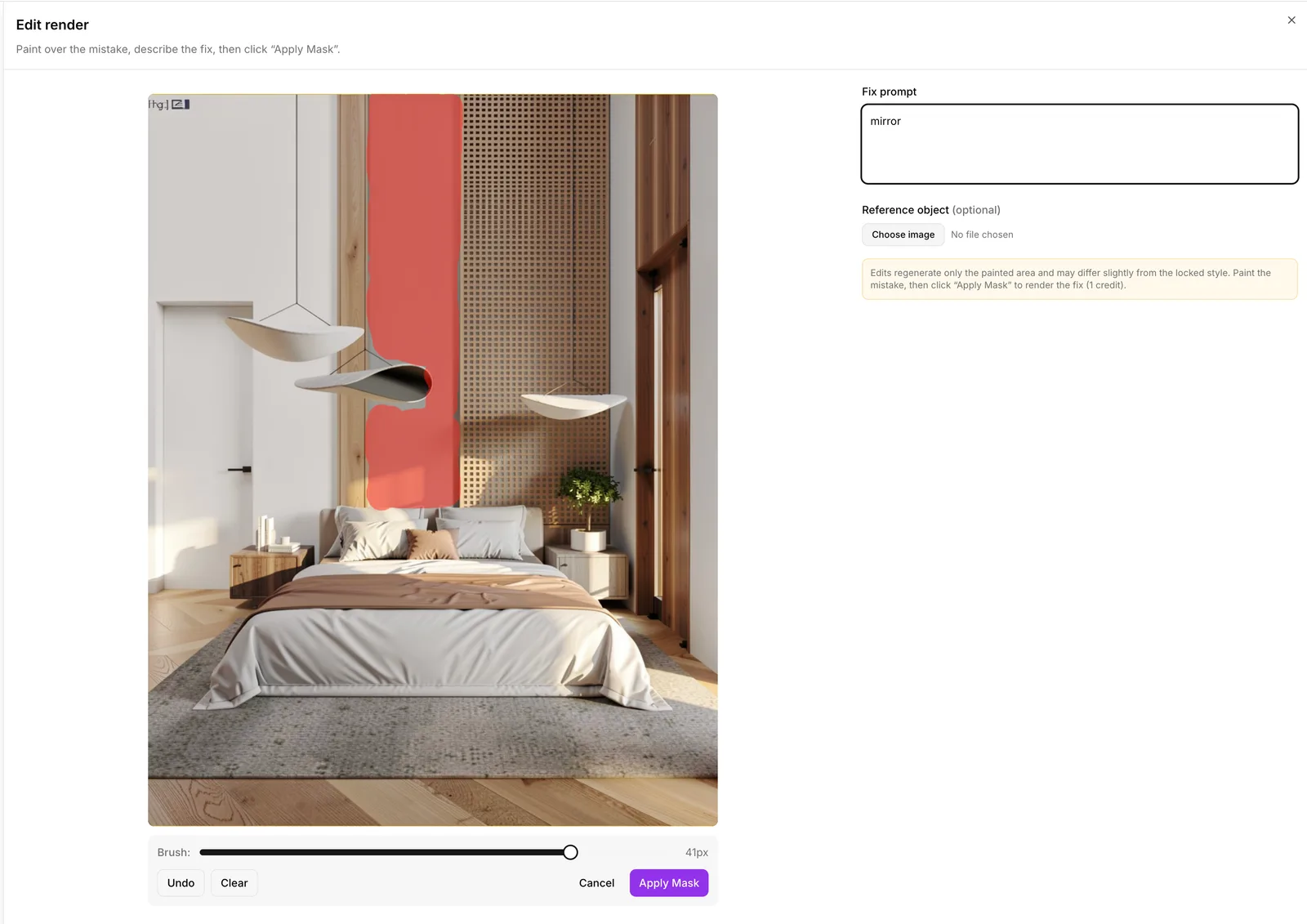
Here we painted the wall above the bed and typed "mirror." A few seconds later the mirror is hanging there, and nothing else in the room moved.
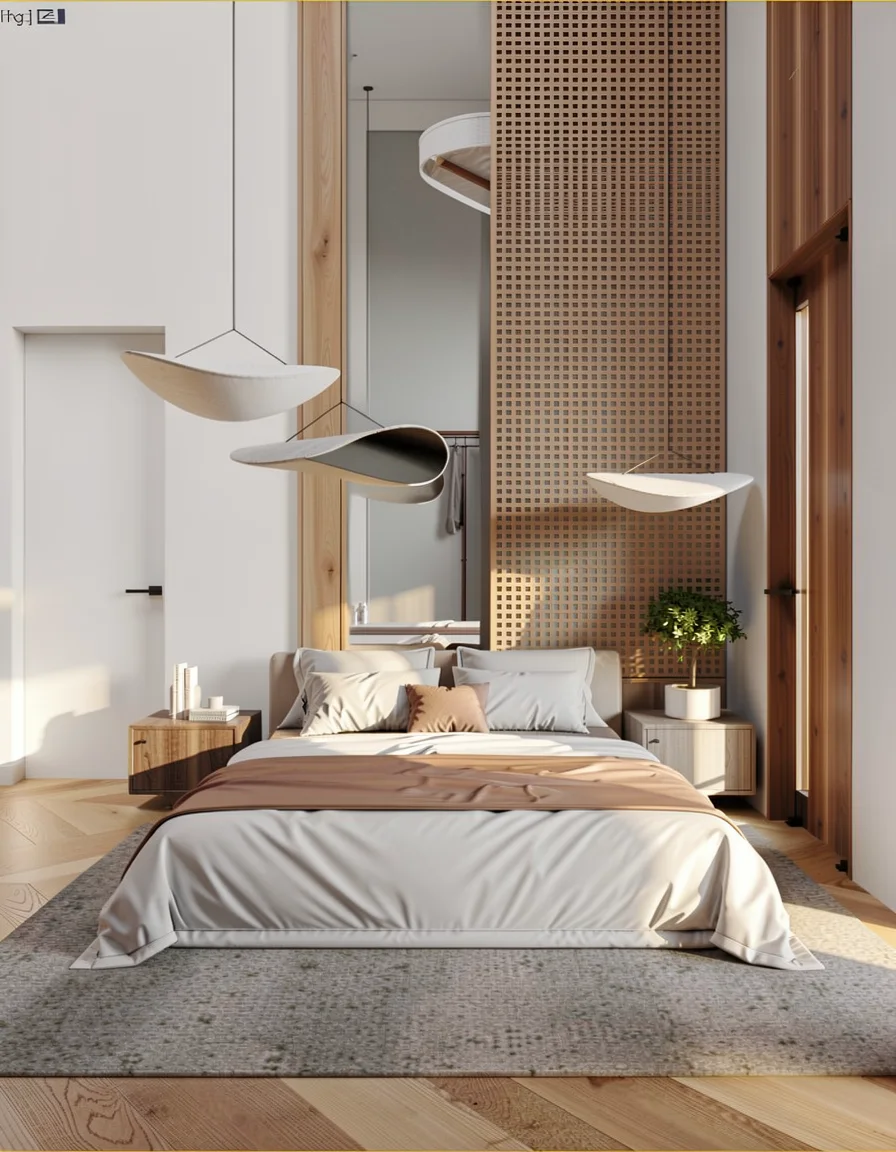
You can keep going, one fix at a time, until it's right. That kind of surgical editing only works when the tool actually holds onto your scene instead of regenerating the whole frame on every try.
Swap a detail, keep the room
Mask an area, describe the fix or drop in a reference image, and only that spot re-renders. Iterate as many times as you need.
One room, every angle, one look
A project is never one view. Render several angles of the same space in a single session, and FurniMesh keeps the style consistent across all of them. Same light, same materials, same mood. A full set of views reads as one space instead of five different rooms.
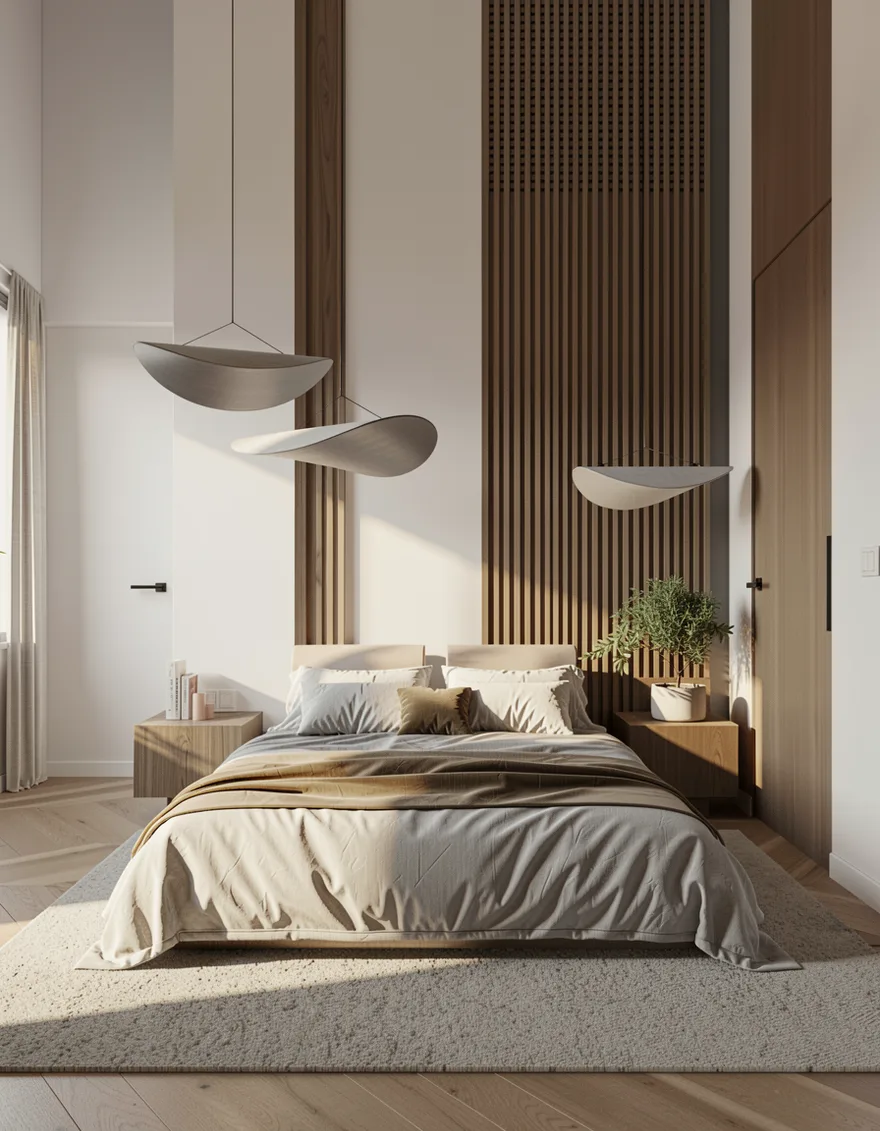
For a walkthrough, that means every wall and corner feels like the same finished project.
Who's already working this way
- Architects. Client sign-off and design iteration before committing hours to a final render. It fits SketchUp, Revit, and Rhino screenshots natively.
- Interior designers. Concept boards and real material and furniture options a client can actually picture in their own room, not a stand-in.
- 3D artists. Quick look-dev straight from a viewport grab, before deciding what deserves a full render.
The shift, in one line
Photorealism stopped being a deliverable and became a way to have a conversation. The teams pulling ahead right now are the ones who can put a realistic version of a client's space on screen in the time it takes to grab a screenshot, then change any detail on the spot without redrawing a thing.
Render your 3D model in seconds
Works with SketchUp, Blender, 3ds Max, Revit, Rhino, or any 3D software. Your exact geometry, edited as much as you like. 10 free renders, no credit card.
More Articles
Lighter, Smoother, Editable: We Rebuilt How FurniMesh Models Work in SketchUp
We rebuilt our SketchUp export pipeline: ~76% fewer polygons, ~70% smaller .skp files, and edge-smoothed surfaces that open clean and editable in SketchUp 2017+, Blender, and other 3D apps.
June 02, 2026
Advanced Generation: Tune the Engine, Then Edit the Mesh
A walkthrough of the Advanced Generation dashboard — seed, mesh quality, texture resolution, parts separation — and what parts separation unlocks for designers, manufacturers, and animators.
May 24, 2026
Phone-Photo to Studio Render: How Google Nano Banana Pre-Processes Every Upload
Most furniture photos are bad — bad lighting, cluttered backgrounds, off-angle. We added Google's Nano Banana model as a pre-processing step to fix that before the 3D engine ever sees the image.
May 12, 2026