
Common Image Mistakes and Their Impact on 3D Models
Learn about common mistakes when uploading images to FurniMesh and how they affect the quality of generated 3D models.
Not all images will result in a usable 3D model. Below are five real-world examples of mistakes users often make when uploading images to FurniMesh — and the kinds of problems these images create in the final output.
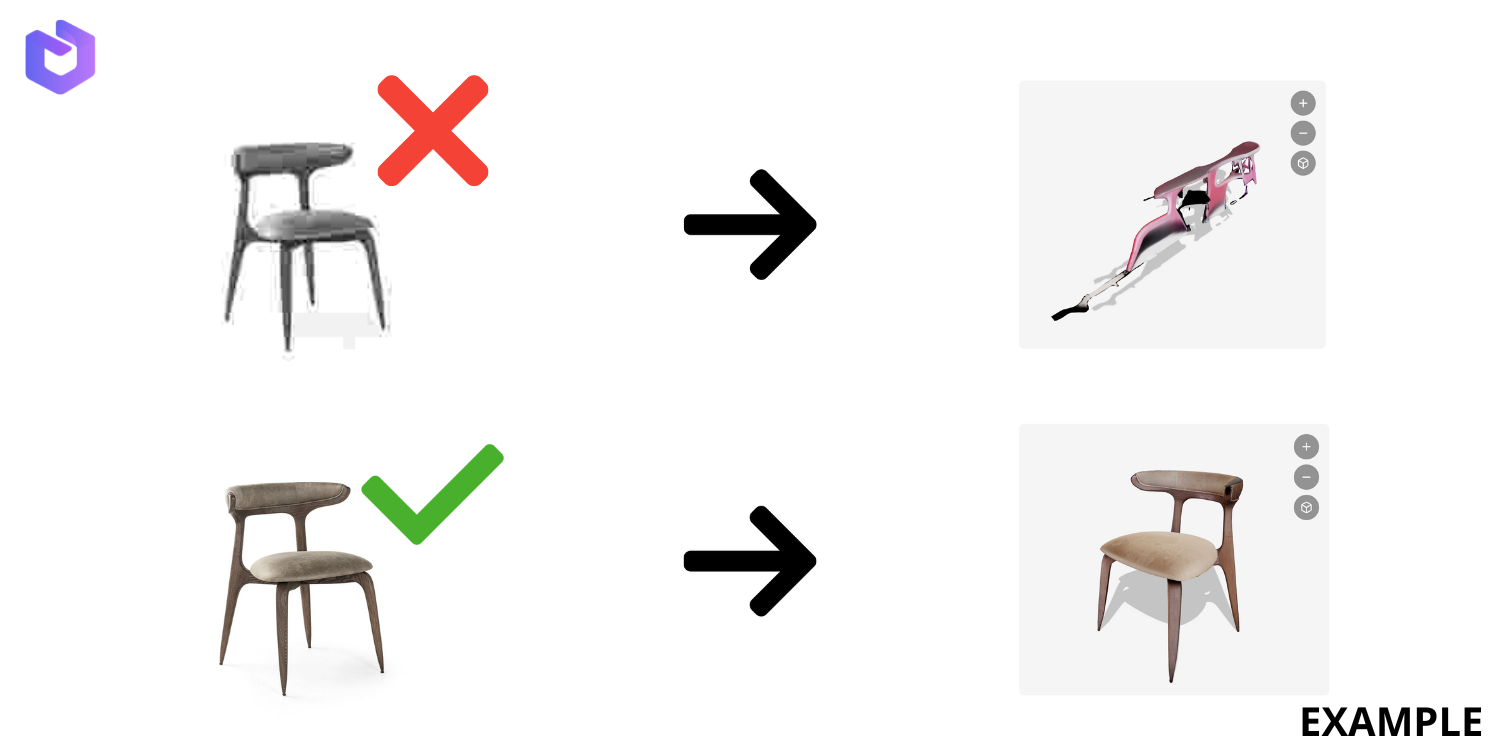
1. Low-Quality or Blurry Image
Cause:
The system relies on edge detection and texture recognition. If the image is blurry or pixelated, those features become unreliable.
Recommendation:
Always use high-resolution, focused images. Minimum 800px in width is recommended.
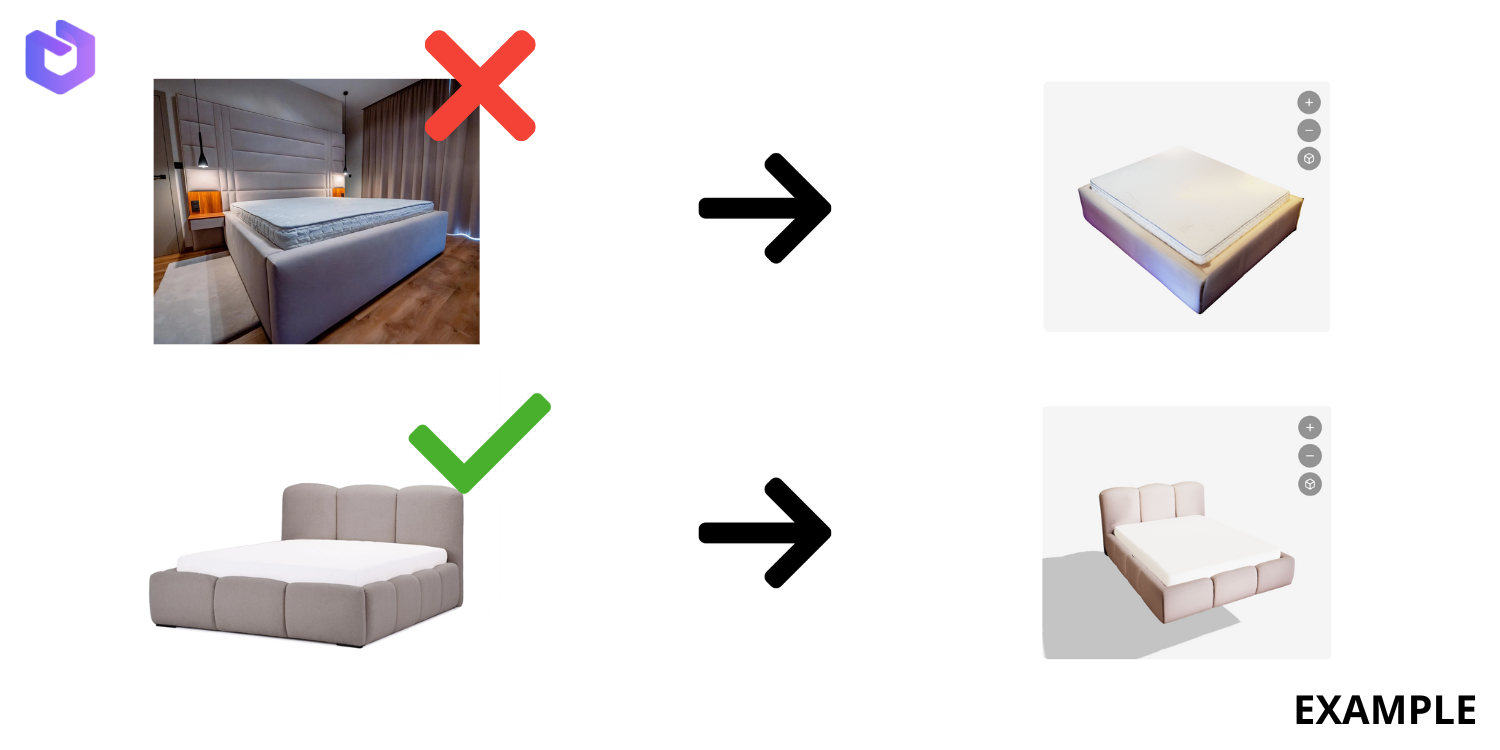
2. Image Without a White or Neutral Background
Cause:
The AI tries to isolate the object based on contrast with the background. Busy backgrounds interfere with this detection.
Recommendation:
Use a clean, white or neutral background with no surrounding items.
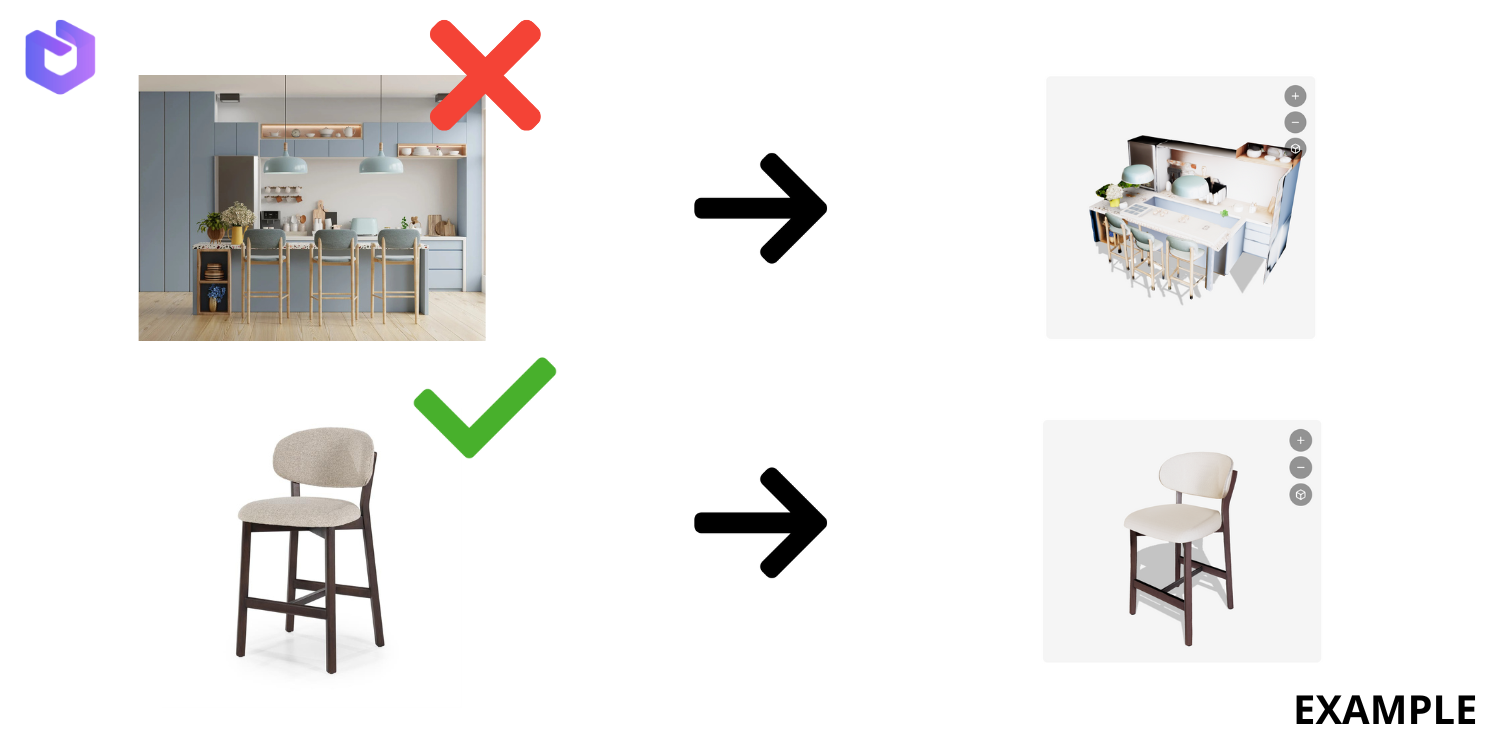
3. Full Room or Scene Instead of Single Item
Cause:
FurniMesh is not built to interpret full scenes. It is trained on single-object images only.
Recommendation:
Upload isolated images of individual furniture pieces only — not interior photography.
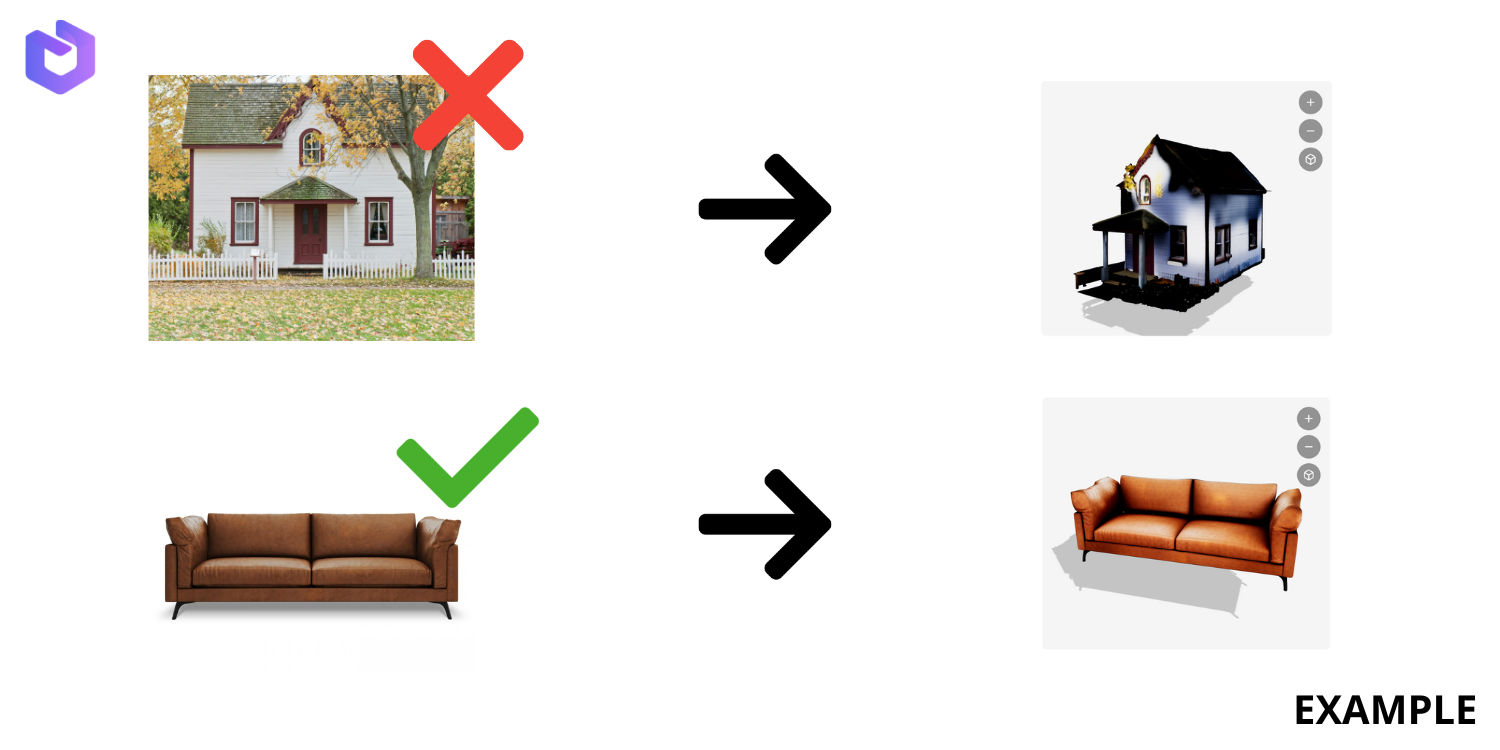
4. Large, Complex Objects (e.g., a House)
Cause:
FurniMesh is intended for mid-size furniture items — not large-scale architectural objects.
Recommendation:
Stick to regular-sized furniture items like sofas, chairs, tables, or shelves.
5. Unusual or Overly Complex Item with Heavy Depth (e.g., intricate sculpture)
Cause:
While FurniMesh can handle moderate complexity, items with extreme shape variance or depth require more visual data (like 3D scanning), which a single image upload cannot provide.
Recommendation:
Use FurniMesh for items with regular, furniture-like shapes. Avoid uploading extreme artistic pieces or items with lots of voids or cavities.